Screen Printing and Custom Apparel Management Software
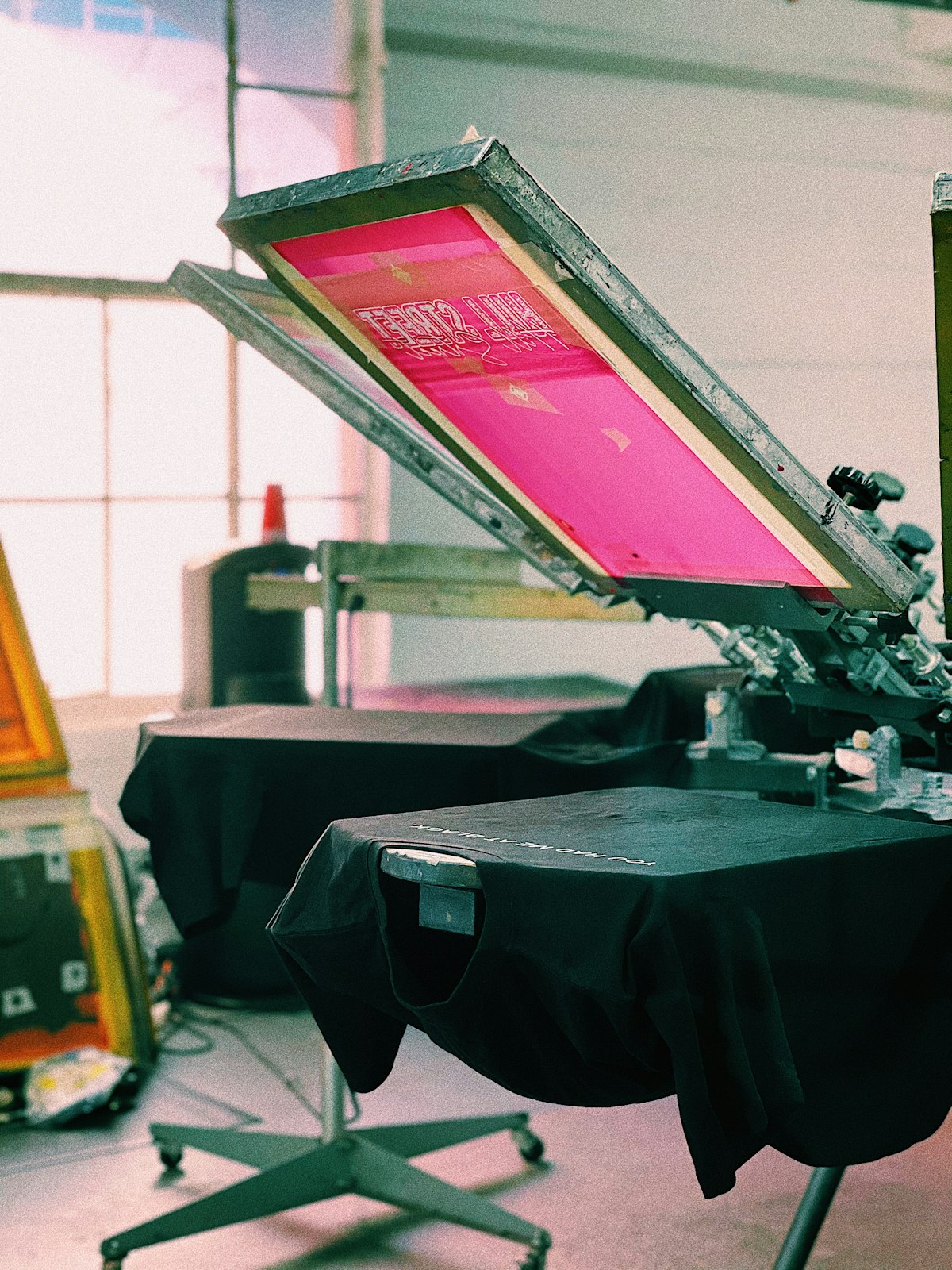
Mr. Yusuf Hartono has run Sablon Kilat Jaya, a screen printing and custom apparel business in the Cibaduyut district of Bandung, for eight years, with six production staff and two admins who also handle the cash register. His shop takes orders for office uniform shirts, motorcycle community tees, graduation-batch shirts, and event merchandise for various organizations around Bandung. Every day, new orders come in through WhatsApp Business — clients send designs as JPG or PDF files and state sizes and quantities in chat threads that often get mixed up with price negotiations and payment confirmations, while daily production notes are still handwritten in an old ledger book that's been in use since 2019. When orders pick up ahead of graduation season, company anniversaries, or Independence Day in August, that single notebook can hold more than 15 different orders in one week, each with its own S/M/L/XL/XXL — and sometimes All Size — breakdown, plus designs that vary from client to client.
In early March, a problem that had always been a minor annoyance finally blew up into a full-blown crisis. A pharmaceutical company ordered 200 shirts for its annual employee gathering, with a breakdown of 30 S, 60 M, 70 L, 30 XL, and 10 XXL agreed upon over three days of WhatsApp messages, including a size revision on day two after a few last-minute attendees were added. Because the breakdown notes were scattered across several different messages and got buried under other orders coming in the same day, the production team worked from an outdated breakdown when cutting and printing the fabric. As a result, when the 200 shirts were delivered the day before the event, size L was overstocked by 15 pieces while XL was short by 12 — event staff had to scramble to swap sizes with attendees on site, some employees ended up wearing shirts that were too small, and the company's procurement team sent a formal complaint by email. The relationship with a corporate client that had reliably placed repeat orders twice a year for three straight years cooled off, and no order ever came from that company again. Pak Yusuf realized the problem wasn't print quality or production speed — the prints themselves still came out fine — it was how order information was managed, still dependent on staff memory and chat histories that easily get lost among hundreds of other messages.
What is screen printing and custom apparel management software
Screen printing and custom apparel management software is a digital system that unifies the entire custom apparel workflow — from incoming orders, size breakdowns, and design approvals to production stages, material usage, and shipping — inside a single database accessible in real time to admin, production, and business-owner teams alike. Unlike the manual approach of relying on WhatsApp chats, scattered spreadsheets, and paper production logs, this kind of system records every order as one complete entity: who the client is, which design was agreed upon, the breakdown per size, which production stage it's currently at, and when it needs to be finished.
For small-to-mid-scale screen printing businesses handling many custom orders at once — office uniform shirts, community event tees, or school merchandise — the complexity comes from the combination of sizes, designs, and deadlines that differ from one order to the next. One order might have five size variations with different quantities, while another has two different designs on the front and back of the same shirt. Without a centralized system, this information easily scatters and ends up living only in the heads of one or two people, leaving the business exposed whenever that key person is out sick or simply forgets a detail.
With a centralized system, every order gets a "digital work card" visible to anyone on the team — from the admin who took the order, to the staff preparing screens and ink, to the courier delivering the finished goods. Information no longer sits in a dozen different places, and every change — a design revision, an added quantity, a shifted deadline — is instantly visible to everyone involved without anyone having to dig back through chat history.
The real cost of running a screen-printing business without a centralized system
- Miscounted size breakdowns because information is scattered across dozens of separate WhatsApp threads, leaving the production team working from outdated or misquoted numbers when cutting and printing fabric.
- Missed event deadlines when there's no automatic reminder for orders with tight timelines — graduation ceremonies, corporate gatherings, or community competitions whose dates simply cannot move.
- Unmonitored fabric and ink stock, so production only discovers a shortage mid-print run, forcing an order to stall for two or three days while waiting on a supplier.
- Undocumented design revisions that lead the team to print an outdated design version because it's unclear which client approval was the most recent one, forcing a costly reprint that eats fabric and ink twice over.
- Inaccurate margin calculations because fabric, ink, and labor costs per order aren't tracked systematically, so the owner only learns whether an order was profitable after the month has already closed — often too late to fix anything.
Key features every screen-printing management app needs
- Order tracking with a size breakdown per design — every order records the exact S/M/L/XL/XXL detail per design so there's no more miscounting during production or delivery to the client.
- A production stage tracking board that maps the process from design approval, screen/film prep, printing, sewing/finishing, and quality control through to packing — so everyone on the team knows exactly where an order stands without having to ask around.
- Deadline alerts per order that automatically flag warnings three days or one day before the due date, especially for event orders whose dates are locked to the client's own schedule and can't be shifted.
- Fabric and ink stock tracking that automatically deducts usage with every production run, complete with minimum-stock thresholds so admins can reorder before running out mid-way through a large job.
- A design and mockup approval history with clients so every revision is neatly recorded along with who approved it and when, avoiding the risk of printing a wrong or outdated design version.
- Per-order cost calculation that compares actual fabric, ink, and labor costs against the quoted price, so the margin on each order is clear before it's confirmed rather than discovered after it's already finished.
- Order history and repeat-client records that store past designs, sizes, and preferences, making it far easier to requote a returning client the following year for a similar event.
Buy an off-the-shelf app or build a custom system
For a screen-printing business just starting to tidy up its operations, an off-the-shelf production management app already on the market can be a reasonable starting point — it's ready to use without a long development timeline, and the cost is manageable as a monthly subscription. The trouble is that most generic apps are built for general manufacturing and lack the concept of a size breakdown per design, screen-printing-specific stages like screen prep and ink curing, or a client mockup approval flow — so owners often end up patching gaps with an extra spreadsheet outside the system, which just recreates the original problem because data ends up split across two places.
A custom system makes more sense once a business has a stable order volume and a distinctive production process — for example, combining manual screen printing (plastisol or rubber ink) and DTF printing within the same order, or a multi-step QC flow for large corporate orders that demand consistent color and logo placement on every single shirt. A system built around how the team actually works can adapt to that workflow instead of forcing the workflow to adapt to it, and it can grow as the business adds new product lines like embroidery, custom jackets, or other merchandise beyond t-shirts.
Cost and timeline ranges in Indonesia
For a small-to-mid-scale screen-printing business needing order tracking, production stages, and basic material stock, a custom system typically falls in the Rp 70-180 million range with a 3-5 month build. This covers the order and size-breakdown module, the production stage board, deadline notifications, fabric and ink stock tracking, and per-order cost calculation.
For larger businesses with multiple production sites, integration with accounting or e-commerce systems, or multi-level mockup approval requirements for major corporate or government clients, costs can rise to Rp 200-480 million with a 5-8 month timeline. On top of the initial development cost, budget for annual maintenance of roughly 15-20% of the development cost to cover system updates, bug fixes, and feature adjustments as the business and its production needs evolve.
Case study: Warna Abadi Screen Printing
Warna Abadi, a custom apparel screen-printing business in Semarang serving office uniform and community event orders with a turnover of roughly 3,000-4,000 shirts per month, faced problems similar to Sablon Kilat Jaya's before implementing a custom production management system in early 2025. Before the system went live, roughly 1 in 6 large orders had a size-breakdown error, and admin staff spent nearly 3 hours a day just cross-checking WhatsApp chats against production notes scattered across a notebook and separate spreadsheets.
Six months after implementation, size-breakdown errors dropped from 17% of orders to under 2%, on-time delivery jumped from 78% to 96%, and admin reconciliation time fell from 3 hours to under 30 minutes a day because all data now lived on a single production stage board. The owner also recorded a 22% rise in repeat orders from corporate clients over the same period, as a smoother ordering experience and more reliable delivery gave long-time clients the confidence to reorder without renegotiating everything from scratch.
Metrics to monitor after implementation
- Percentage of orders with an accurate size breakdown compared to total orders completed each month, as the primary indicator of record-keeping quality.
- On-time delivery rate against deadlines agreed with clients, especially for event orders whose dates cannot move.
- Average time per production stage, from design approval through packing, to identify which stage most often becomes a bottleneck.
- The gap between fabric stock recorded in the system and actual physical stock in the warehouse, as an indicator of how accurately material usage is being logged.
- Average margin per order compared with the initial quotation estimate, to check whether the prices being quoted to clients remain financially healthy.
Implementation challenges and how to solve them
Production staff accustomed to paper notes and verbal instructions often feel a digital system just adds administrative work on top of an already busy printing and sewing schedule. The fix is to design the production-stage update interface as simply as possible — a single status button on a tablet mounted near each workstation, for example — and to involve production staff from the earliest stages of system design so they feel ownership over the new workflow rather than being forced into something designed without their input.
Last-minute design revisions from clients are an unavoidable part of the custom screen-printing business, and an overly rigid system can actually slow down a process that used to move fast over direct chat. The solution is to build a revision flow that still records design version history automatically but doesn't stand in the way of quickly approving small changes, with automatic notifications going out to everyone involved — admin, the screen team, and the printing team — the moment a client-approved change lands.
Tight-deadline orders often pile up together ahead of busy event seasons like August and December, leaving the production team struggling to decide which equally urgent order to work on first. Solving this requires an automatic prioritization feature based on due date and the remaining production time each order needs, so the system can flag orders at risk of running late before the problem actually happens, rather than after a client has already complained on delivery day.
Where to start
A screen-printing business still relying on WhatsApp and a notebook to manage custom orders will sooner or later run into the same problem Pak Yusuf did — miscounted size breakdowns, missed deadlines, and margins that stay unclear until an order is already finished. The right management system isn't just a record-keeping tool; it's the foundation for a business that can grow to handle more orders without service quality slipping, and without risking the loss of corporate clients built up over years of hard work. Check a price estimate for your needs, or go straight to submit a project for a consultation on your screen-printing business system needs.
Have a similar project?
Free consultation, no commitment. Tell us what you need — we'll help you find the best solution.
Free Consultation