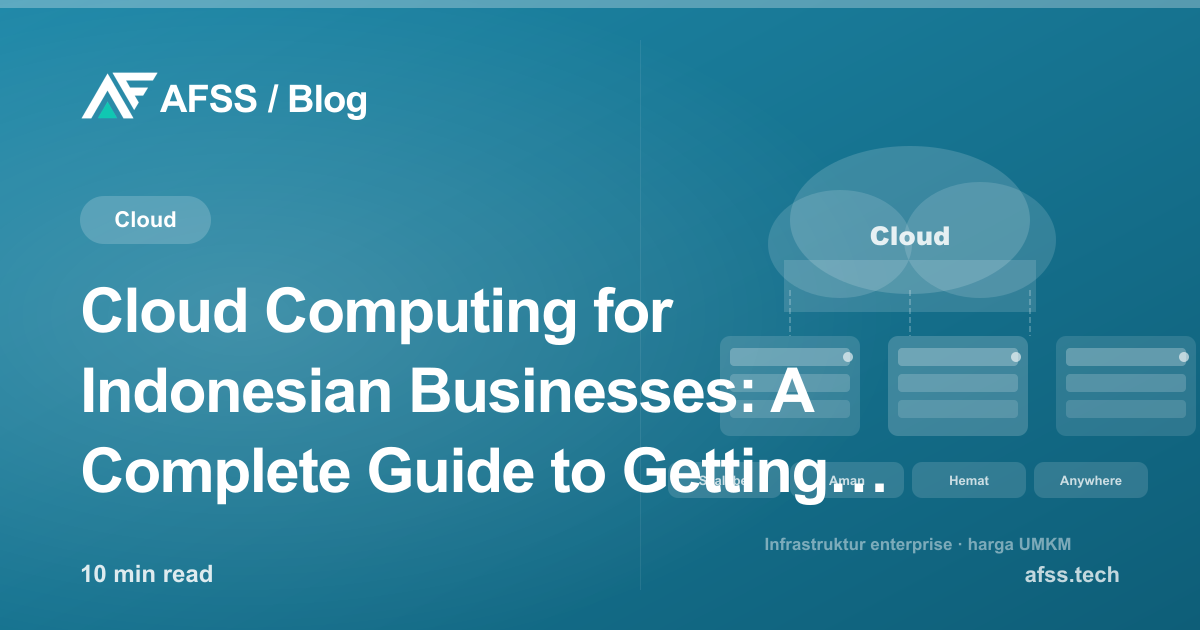
Cloud Computing for Indonesian Businesses: A Complete Guide to Getting Started in 2026
Ten years ago, having reliable technology infrastructure required a huge investment in physical servers, data center space, and a large internal IT team. In 2026, all of that is accessible through an affordable monthly subscription via cloud computing.
Yet many business owners are still unsure: is cloud really right for my business? How safe is my data in the cloud? Where do I even start? This article answers those questions practically.
What Is Cloud Computing?
Cloud computing is a delivery model for computing services — servers, storage, databases, networking, software, analytics, and artificial intelligence — over the internet ("the cloud"), with pay-as-you-go pricing.
Simply put: instead of buying and maintaining your own IT infrastructure, you rent it from a cloud provider like AWS (Amazon Web Services), Microsoft Azure, or Google Cloud — and pay only for what you actually use.
Three Cloud Service Models
IaaS (Infrastructure as a Service)
The cloud provider supplies basic infrastructure: virtual servers, storage, and networking. You manage the operating system, middleware, runtime, data, and applications.
Good fit for: Businesses that need full control over their technology stack but don't want to deal with physical hardware.
Examples: AWS EC2, Google Compute Engine, Azure Virtual Machines.
PaaS (Platform as a Service)
A platform already configured for developing, testing, and deploying applications. You focus on application code — infrastructure and middleware are handled by the provider.
Good fit for: Developer teams who want to focus on development without dealing with server management.
Examples: Heroku, Google App Engine, AWS Elastic Beanstalk, Vercel, Netlify.
SaaS (Software as a Service)
Ready-to-use software accessed through a browser, no installation needed. This is the most familiar model — think Google Workspace, Salesforce, or Zoom.
Good fit for: Almost every business that needs ready-to-use applications.
Three Cloud Deployment Models
Public Cloud
Infrastructure owned and operated by the cloud provider (AWS, Azure, Google Cloud). Resources are shared across many customers, but each customer's data is safely isolated.
Advantage: Lowest cost, highest scalability, no hardware investment.
Private Cloud
Cloud infrastructure managed exclusively for one organization — can be hosted in your own data center or by a dedicated provider.
Advantage: Maximum control and security. Chosen by highly regulation-sensitive industries (banking, healthcare, defense).
Drawback: Much higher cost than public cloud.
Hybrid Cloud
A combination of connected public and private cloud. High-security workloads run on private cloud, the rest on public cloud.
Good fit for: Enterprises that need flexibility but with certain security needs public cloud alone can't satisfy.
Benefits of Cloud Computing for Business
1. Save on Infrastructure Costs
Before cloud, businesses had to buy expensive physical servers sized for peak demand — meaning 80% of the time, that capacity sat idle and wasted.
With cloud, you pay for actual usage. When traffic is low, costs drop automatically. When there's a spike (marketing campaigns, events, year-end), capacity can scale up within minutes with no new hardware investment.
For mid-sized Indonesian businesses, this can save 40–70% compared to on-premise infrastructure.
2. Instant Scalability
Business growth is often nonlinear. Orders spike at year-end, then drop off early in the year. Before cloud, this was a big problem — you had to buy servers for peak demand, then those servers sat idle off-peak.
Cloud scaling can happen within seconds:
- Scale up/down: Increase or decrease server specs
- Scale out/in: Add or remove the number of servers
- Auto-scaling: Servers automatically increase/decrease based on load
3. Accessibility from Anywhere
Applications and data in the cloud can be accessed from anywhere with an internet connection. This isn't just convenience — it's an enabler for remote work, distributed teams, and cross-office collaboration.
This became especially relevant post-pandemic: businesses already in the cloud could pivot to remote work within days. Businesses still on-premise struggled for weeks.
4. Reliable Disaster Recovery
Data in the cloud is typically replicated automatically across several geographic locations. If a disaster hits one data center, the system automatically fails over to another location.
For on-premise businesses, a disaster recovery plan requires a substantial separate investment. In the cloud, this is often built-in — or can be added at a much more affordable cost.
5. Automatic Updates
Cloud providers are responsible for infrastructure maintenance, security updates, and system patches. Your IT team can focus on work that truly impacts the business, instead of endless routine maintenance.
6. Better Collaboration
Documents, files, and applications in the cloud can be accessed and worked on together in real time by the whole team — no matter where they're located. This fundamentally changes how teams work.
Data Security in the Cloud: Myths vs. Facts
One of the biggest concerns for Indonesian businesses about cloud is security. Let's clear up a few misconceptions:
Myth: "Data in the cloud isn't safe — it's stored on someone else's server."
Fact: Enterprise cloud providers (AWS, Azure, Google Cloud) invest billions of dollars a year in securing their infrastructure. The physical and technical security level of their data centers far exceeds what almost any business could achieve with its own data center.
Myth: "The cloud provider can access all our data."
Fact: Your data is encrypted both in transit and at rest. With proper encryption key management (customer-managed keys), even the cloud provider can't read your data.
Myth: "Cloud isn't suitable for sensitive business data."
Fact: Major banks, hospitals, government agencies, and defense companies already use public cloud for their most sensitive workloads — with the right security configuration.
Of course, security in the cloud also depends on correct configuration on the user's part. The Shared Responsibility model means: the cloud provider is responsible for infrastructure security, while you're responsible for the security of what you store and how you configure it.
Cloud vs. On-Premise Cost Comparison
For a business with 50 employees using email, file storage, business applications, and web servers, here's a rough 5-year cost comparison:
On-Premise:
- Hardware (servers, storage, networking): Rp 200M–500M
- Software licenses: Rp 50M–100M
- Electricity and data center cooling: Rp 5M–15M/month
- IT staff for maintenance: 1–2 full-time employees
- Hardware refresh every 3–5 years
Cloud:
- Cloud service subscription: Rp 8M–25M/month
- No hardware investment
- IT staff can focus more on value-added work
- Scales according to actual need
For most mid-sized businesses, cloud becomes more economical in the long run, especially when factoring in the opportunity cost of capital not tied up in hardware.
Cloud Services Most Relevant for Indonesian Businesses
Google Workspace / Microsoft 365
Email, documents, spreadsheets, presentations, and video calls integrated into one platform. Starting from Rp 150K/user/month.
Cloud Storage
Google Drive, OneDrive, or AWS S3 for file storage accessible from anywhere and automatically backed up.
Cloud Hosting for Websites and Applications
Vercel, Netlify (for frontend), or AWS/GCP/Azure (for more complex backends). This is also what we use to host AFSS client websites and applications.
Cloud Databases
AWS RDS, Google Cloud SQL, or Supabase — managed, backed-up, and auto-scaled databases without needing a full-time DBA.
Cloud Security
Cloudflare for CDN and DDoS protection, AWS WAF for web application firewall — enterprise-grade security now available for SME-scale businesses.
Practical Steps to Migrate to the Cloud
Migrating to the cloud doesn't have to be a big-bang effort. Here's the phased approach we recommend:
Phase 1 — Quick wins (Months 1–2):
- Migrate email to Google Workspace or Microsoft 365
- Move file storage to the cloud
- Start backing up data to the cloud
Phase 2 — Business applications (Months 3–6):
- Move website and application hosting to the cloud
- Cloud-based CRM and project management tools
- Video conferencing and collaboration in the cloud
Phase 3 — Core infrastructure (Months 6–12):
- Application database and backend in the cloud
- Implement a cloud-based disaster recovery plan
- Start exploring AI/ML services from cloud providers
Phase 4 — Optimization (Ongoing):
- Cost optimization — right-sizing resources
- Implement monitoring and observability
- Explore advanced services (serverless, containers, ML)
Regulations and Compliance
For businesses in Indonesia, keep in mind:
Personal Data Protection Law (UU PDP): Governs the protection of Indonesian citizens' personal data. Make sure your cloud configuration meets these requirements.
OJK Regulations: For fintech and financial businesses, there are specific requirements around data storage.
Client Requirements: Enterprise clients often have requirements about where their data is stored. Pay attention to data residency options when choosing a cloud provider.
Conclusion
Cloud computing isn't just for large corporations. In 2026, it's the technology foundation that lets businesses of any size — from startups to enterprises — operate with the efficiency, reliability, and scalability once available only to giant corporations.
Start with a small step: migrate email and file storage to the cloud. Feel the benefits. Then continue gradually as your team and business are ready.
AFSS helps Indonesian businesses design and implement the right cloud strategy — from website and application hosting to more complex cloud architecture. Get a free consultation to discuss a cloud strategy for your business.
Have a similar project?
Free consultation, no commitment. Tell us what you need — we'll help you find the best solution.
Free Consultation