In the modern business world, maintaining good customer relationships is key to sustainable growth. But as a business grows — with hundreds to thousands of contacts — managing everything manually becomes inefficient and error-prone. This is where a CRM (Customer Relationship Management) system plays a crucial role.
What Is a CRM System?
A CRM is a software system that helps businesses manage, analyze, and optimize relationships with customers and prospects across the entire customer lifecycle — from first contact to after-sales service.
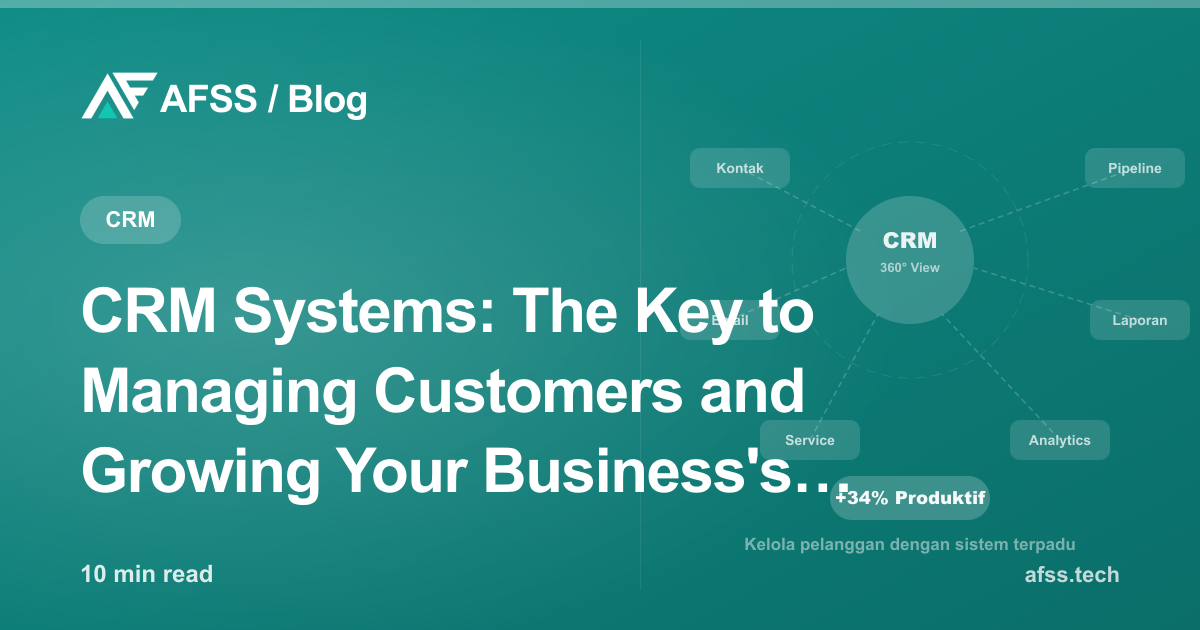
A good CRM system integrates data from multiple sources: website, email, social media, phone, and transactions — turning it into a single 360° view of every customer.
Picture a scenario without a CRM: the sales team logs prospects across different spreadsheets, some in email, some only in memory. When a team member resigns, all that data and context leaves with them. Follow-ups get delayed or duplicated. Sales opportunities slip away entirely.
With a good CRM, all of this can be handled systematically.
Core Modules in a CRM System
1. Contact Management
This is the foundation of every CRM. It stores complete information on every customer and prospect: name, position, company, interaction history, preferences, and other important notes. This data is accessible to the whole team in real time — no more information "stored" only in one person's head.
2. Sales Pipeline
A visualization of each prospect's journey from awareness to closed deal. You can see exactly which stage each opportunity is at, its potential value, and the expected closing date. Sales managers can identify bottlenecks and step in before a deal is lost.
3. Marketing Automation
Sends automatic follow-up emails based on customer behavior. Example: a prospect who downloads a product brochure is automatically enrolled in a pre-built nurturing email sequence. The marketing team can focus on creative strategy instead of repetitive tasks that can be automated.
4. Customer Service & Ticketing
Logs all customer support requests, ensures nothing falls through the cracks, and measures response times and resolution rates. This matters for maintaining post-purchase satisfaction — where retention rate strongly determines long-term profitability.
5. Reporting & Analytics
A dashboard showing key metrics: conversion rate per lead source, average deal size, pipeline velocity, revenue forecast, and customer satisfaction score (CSAT). Business decisions driven by data, not unverified intuition.
6. Multi-Channel Integration
Modern CRMs connect to email, WhatsApp Business, social media, websites, and ERP — creating a truly unified customer data ecosystem with no gaps.
Concrete Benefits of CRM for Business
Increased Sales Team Productivity
Research from various institutions shows that sales teams using a CRM see an average productivity increase of 25-35%. The reason is simple: instead of spending time hunting for customer information or writing manual notes, they focus on revenue-generating activities.
CRM automation features significantly cut time spent on administrative tasks — data entry, sending follow-up emails, creating weekly reports — freeing up more time for meaningful sales conversations.
Improved Customer Retention
Acquiring a new customer can cost 5-7 times more than retaining an existing one. CRM helps businesses:
- Proactively monitor customer satisfaction with automated surveys
- Identify customers at risk of churning before it's too late, based on activity patterns
- Send personalized retention offers at the right moment
- Deliver consistent service even when handled by different team members
Accurate Pipeline Visibility
With a CRM, managers can see exactly how much revenue is expected this month, next month, and the following quarter. Accurate forecasting enables better resource planning — when to hire, when to invest, when to hold back spending.
Measurable Personalization
Customers in 2026 expect a personal experience — they don't want to be contacted without relevant context. CRM lets businesses send relevant communication based on purchase history, preferences, and behavior — even when you have thousands of customers at once.
More Effective Team Collaboration
When all customer data is centralized in a CRM, the whole team (sales, marketing, customer service) works from the same source of truth. No more scenarios where "sales said one thing, but service told the same customer something different."
Signs Your Business Needs a CRM
Is your business experiencing any of the following?
- Customer data scattered across Excel, email, WhatsApp, and various separate apps
- Follow-ups frequently missed because there's no centralized reminder system
- Sales team doesn't know a customer's previous interaction history when reaching out
- Difficult to produce accurate sales reports because data isn't centralized
- Customers complain about being treated inconsistently by different team members
- Can't confidently predict next month's revenue
- When a salesperson leaves, all their contacts and conversation context leave with them
If 3 or more of the above sound familiar, a CRM is now a highly urgent investment for your business.
Off-the-Shelf CRM vs. Custom CRM
There are two main approaches to adopting a CRM:
Off-the-Shelf CRM (SaaS)
Platforms like Salesforce, HubSpot, Zoho CRM, or Pipedrive offer full functionality for a monthly subscription that already covers infrastructure and maintenance.
Advantages:
- Quick to implement (days, not months)
- No need for a large internal IT team
- Updates and maintenance fully handled by the vendor
- Ready-made integration ecosystem with hundreds of tools
Disadvantages:
- Ongoing subscription costs that can rise significantly as user count grows
- Doesn't always fit business flows that are very specific to your industry
- Customer data stored on vendor servers, not fully under your control
- Limited customization — you adapt to the system, not the other way around
Custom CRM
Built specifically around your company's processes, industry, terminology, and unique needs.
Advantages:
- 100% aligned with the business flow and terminology your team already uses
- Code and data fully owned by your company — no dependence on a specific vendor
- No subscription costs that keep rising as your team grows
- Can integrate perfectly with existing systems (ERP, website, online store)
Disadvantages:
- Larger upfront investment than SaaS
- Requires longer development time before it's ready to use
The right decision depends on the complexity of your business processes. It's similar to the custom website vs. template decision — the more unique and complex your needs, the stronger the case for a custom-built CRM.
How to Start Implementing a CRM
Step 1: Audit Your Current Process
Before choosing or building a CRM, understand how customer data currently flows. Where is data stored? Who uses it? Which process is most manual and most prone to human error?
Step 2: Define Clear Requirements
Make a list of must-have features versus nice-to-have ones. Involve end users — sales, marketing, and customer service teams — in this process, not just management. They know exactly what's needed day-to-day.
Step 3: Choose the Right Approach
Based on needs, budget, and long-term business plans, decide between SaaS or custom. For businesses new to CRM, SaaS can be a good way to start quickly — then evaluate whether migrating to custom makes sense once needs are clearer.
Step 4: Migrate Data Carefully
The quality of a CRM depends heavily on the quality of the data inside it. Clean, standardize, and validate existing data before importing it into the new CRM. Dirty data produces untrustworthy insights.
Step 5: Training and Change Management
The biggest investment after CRM implementation isn't the technology — it's making sure the team actually uses it consistently. Adequate training, quick reference guides, and adoption monitoring are key to a successful CRM rollout.
Step 6: Monitor, Evaluate, and Optimize
A CRM isn't a one-time project. Review regularly: is the workflow optimal? Are new bottlenecks emerging? Are additional integrations needed to support business growth?
Integrating CRM with Other Systems
An isolated CRM delivers very limited benefits. The greatest value comes from thorough integration with:
- Website and landing pages: Contact forms feed directly into the CRM as new leads with source tracking
- Email marketing platform: Two-way contact sync and automation triggers based on pipeline stage
- ERP system: Transaction and invoice data from ERP integrated into customer profiles in the CRM
- WhatsApp Business API: WhatsApp conversation history recorded on the customer profile
- Accounting software: Payment and invoice status visible directly in the CRM
As we discuss in our article on API integration, a CRM connected to every customer touchpoint is the CRM that delivers the most value for a business.
Expected ROI
CRM investment typically delivers positive returns within the first 12-24 months. The most common sources of savings and revenue growth:
- Team efficiency: 2-4 hours per week per team member previously spent on unnecessary administrative tasks
- Increased conversion rate: Averaging 15-30% higher with more structured, timely follow-up
- Reduced churn rate: Early detection of at-risk customers enables proactive intervention
- Upsell and cross-sell revenue: Complete purchase history data enables well-targeted recommendations at the right moment
Conclusion
In 2026, CRM is no longer a luxury reserved for large corporations. It's foundational infrastructure for any business serious about growing in a measurable way. Your customers expect a personal, consistent experience — and a CRM is what lets you deliver that consistently, even as your business scales.
Start with a simple CRM that fits your current needs, and grow it as your business grows. Most importantly: start before your valuable customer data becomes even more scattered and unmanageable.
AFSS helps businesses choose, design, and implement CRM systems — from simple modules to CRM platforms fully integrated with ERP, websites, and online stores. Get a free consultation to discuss your business's specific needs.
Have a similar project?
Free consultation, no commitment. Tell us what you need — we'll help you find the best solution.
Free Consultation